Approve what your agent sends
At the end, an agent’s risky or first-contact emails wait for a person to approve.
- Time
- About 1 minute
- You need
- Access to change the address
Know what waits already.
A reply an agent writes on a conversation that had a suspicious message in the last 72 hours always waits for a person. Mail you send yourself never waits.
Turn on approval for new contacts.
Open Addresses and choose the shield on the address’s row (Who can write). Under Before writing to someone new, choose Ask before writing to someone new, then Save. The agent’s first email to anyone it has not written to or heard from now waits for you. Once you approve one, later emails to that person send normally.
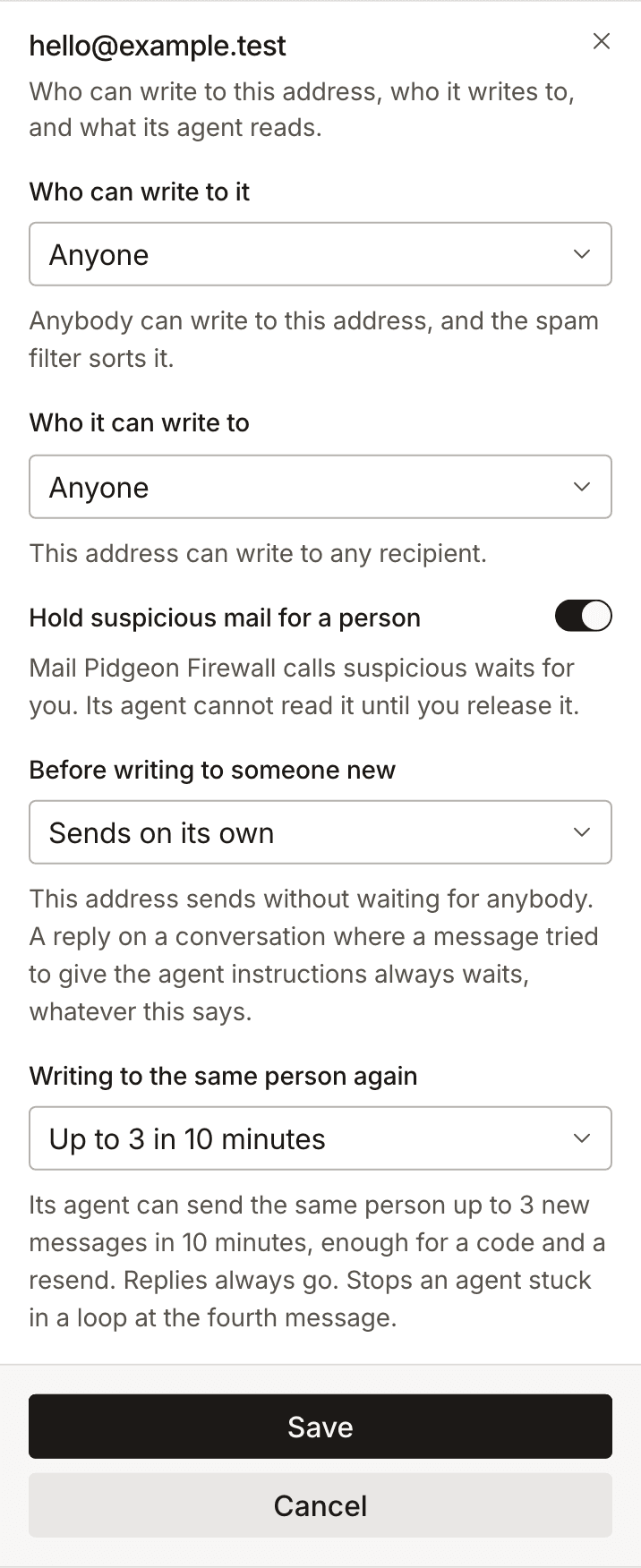
Approve or reject.
Waiting emails are in Approvals and in Needs you; on a phone, both are in the bar at the bottom. You also get a notification and an email. Each shows why it waited, who it is to and what it says. Choose Approve and send or Reject; a rejected email stays in Drafts. An email nobody decides on within 24 hours is not sent.
Change it first, if you need to.
A waiting email can be edited before anyone approves it. It keeps waiting, and the version that is approved is the edited one.